
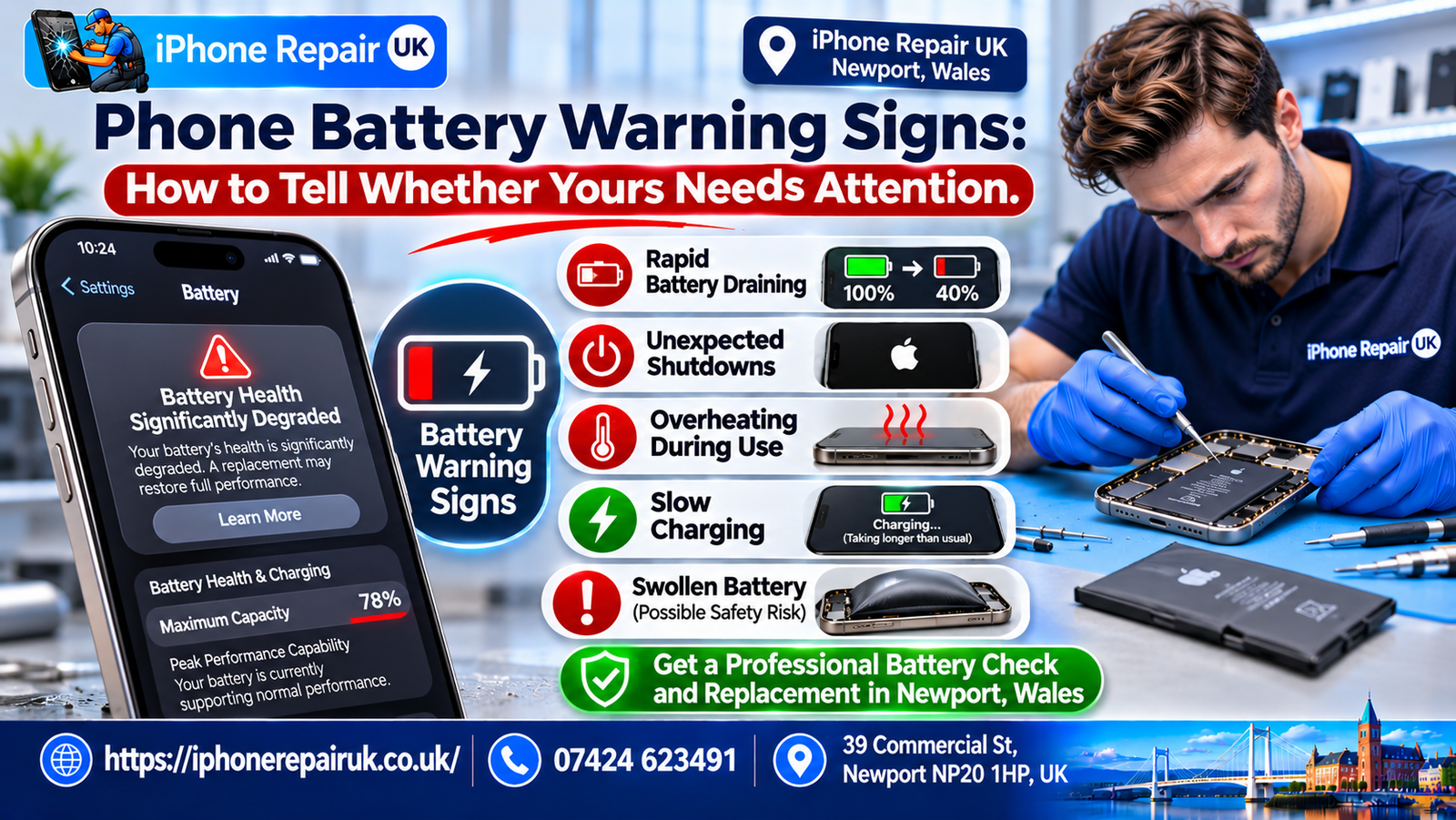
A tired battery rarely fails overnight, and recognising signs of a worn smartphone battery early gives you time to plan a replacement instead of dealing with a phone that dies at the worst moment. Some symptoms are only annoying, while others point to a safety risk that needs prompt action. Knowing which is which saves money and avoids unnecessary worry.
This guide lists the warning signs in order of seriousness, explains what causes each one, and describes sensible checks you can make at home. It reflects the typical battery questions that customers bring to iPhone Repair UK in Newport, from commuters whose phones die on the train to Cardiff to parents handing down old handsets.
What a Healthy Battery Looks Like
Before spotting trouble, it helps to know what normal behaviour looks like. A healthy battery charges steadily, holds its charge through a normal day and stays only mildly warm during use.
Normal Daily Behaviour
Expect the percentage to fall smoothly and the phone to stay on until you plug it in. It is normal for the phone to feel warm during charging, gaming or video calls. It is also normal for battery life to shrink gradually over the years.
Normal Variation
Battery life varies with signal strength, brightness, apps and temperature. A day of heavy navigation or hotspot use will always drain faster than a day on Wi-Fi at a desk. One bad day is not a warning sign by itself.
The Role of Age
Phone batteries are consumables. After roughly two to three years of daily use, most have lost a noticeable portion of their capacity. That decline is expected, so the real question is whether the phone still does what you need.
Sign 1: Battery Drains Much Faster Than It Used To
The most common symptom is simply shorter battery life. It is also the easiest to misread, because several things cause it.
Gradual Decline
A slow slide over months usually means the battery has aged. Check the battery health screen, if your phone has one, and compare the maximum capacity with the original. A figure under about 80% is a sensible point to consider a replacement.
Sudden Decline
A sudden drop over days is more often a software or app problem. Look at the battery usage list in Settings for a single app consuming a large share. A restart, an update or removing the offending app often solves it.
Fast Drain From a Full Charge
If the phone loses 10% or more within a short time of light use, something is wrong. Possible causes include a worn cell, a rogue app, weak signal or a hardware fault. Test again after a restart and with airplane mode on to narrow the cause.
Sign 2: Unexpected Shutdowns
A phone that switches off when the screen still shows 20% or 30% is one of the clearest signs of battery trouble.
Why It Happens
As a cell ages, its internal resistance rises. Under sudden demand, such as opening the camera or loading a game, the voltage can dip below what the phone needs, and the phone shuts down to protect itself. The percentage was an estimate, and the battery could not deliver the power.
Cold Weather Shutdowns
Cold makes this worse, because chemical reactions in the cell slow down. A phone that dies on a frosty walk along the Newport riverfront but works fine indoors may simply have an ageing battery that struggles in the cold. If it happens regularly in mild weather too, treat it as a warning.
Performance Management on iPhones
Some iPhones slow themselves down to avoid shutdowns when the battery is worn, and the battery screen shows a message about this. That slowing is a protection, not a defect. A fresh battery usually removes the restriction.
Sign 3: Percentage Jumps and Strange Readings
When the battery gauge stops making sense, something is off.
Sudden Jumps
A reading that falls from 40% to 15% within moments, or jumps upward after a restart, suggests that the phone cannot judge the cell’s state. This often comes with a worn cell and sometimes with a faulty gauge or flex cable. It is a stronger warning than ordinary drain.
Stuck at a Number
A phone that sticks at one number for a long time and then falls quickly is giving unreliable data. Try a restart and check for software updates. If it continues, have the battery tested.
Not Charging Past a Level
If the phone will not charge past a certain percentage, the battery or the charging system may be failing. Try another cable and charger first. A cheap cable fault is more common than a dead cell.
Sign 4: Excessive Heat
Warmth is normal, but heat that feels uncomfortable is not.
When Heat Is Harmless
A phone gets warm while charging, recording video in the sun or using GPS. This eases when the task ends. A short spell of warmth is not a sign of trouble.
When Heat Is a Warning
Heat during light use, heat while idle, or a battery that becomes hot even on a slow charger suggests a fault. It can come from a damaged cell, a short circuit or a faulty charging chip. Stop charging and let the phone cool if it becomes hot enough to be uncomfortable to hold.
What to Do
Remove the case, switch the phone off, and keep it away from flammable surfaces. Do not charge it again until it has cooled. If the heat returns, a professional check is sensible.
Sign 5: Swelling, Bulging or Lifting
This is the sign that most needs immediate attention, because a swollen cell is a safety concern.
What Swelling Looks Like
The screen may lift at the edges, a gap may appear between the screen and the frame, or the back panel may bulge. The phone may rock on a flat table. A case that suddenly feels tight is another clue.
Why It Happens
As a cell degrades, gas can build up inside its sealed pouch. Overheating, overcharging, physical damage and old age can all cause this. The gas pushes outwards against whatever surrounds it.
What to Do Straight Away
Stop using and charging the phone. Do not press on the bulge, puncture it or heat it. Place the phone on a non-flammable surface away from anything combustible and arrange for a professional to remove the battery as soon as possible.
Sign 6: Slow, Intermittent or Stopped Charging
Charging problems can come from the battery, the cable, the port or the charger.
Check the Simple Things First
Try another certified cable and charger, and a different socket. Examine the cable for fraying. Clean lint gently from the charging port with a wooden or plastic toothpick, and avoid metal tools.
When the Battery Is the Cause
If a phone charges very slowly or stops partway, even with a good cable and charger, a worn cell can be the reason. It may also show a charging symbol that flickers on and off. A technician can test the battery and the port separately.
Charging Port Faults
A loose port, bent pins or corrosion can mimic battery faults. If the cable needs to be held at an angle to charge, the port is likely worn. Replacing the port is a different repair from replacing the battery, so a correct diagnosis matters.
Sign 7: Performance Slowdowns and Lag
A worn battery can affect how the phone behaves, not just how long it lasts.
Throttling
To protect against shutdowns, some phones reduce processor speed when the battery cannot supply enough power. You may notice apps opening more slowly, a stuttering camera or sluggish scrolling. A new battery often brings the speed back.
Slowdown From Other Causes
Full storage, old software and heavy apps also slow phones. Check storage, update the system and restart before blaming the battery. If the phone is fast on a charger but slow on battery, the cell is more likely at fault.
How to Test a Phone Battery at Home
You do not need special tools to gather useful information.
Check the Health Screen
On iPhones, Settings, Battery, Battery Health shows Maximum Capacity. Many Android phones offer a battery check in settings or a diagnostics menu, with the route varying by brand. Write the number down and compare it every few months.
Run a Drain Test
Charge to 100%, use the phone normally for an hour, and note the fall. Repeat on another day to see how steady it is. Large, erratic drops suggest a problem.
Test With a Different Charger
Swapping chargers and cables rules out accessories. Use a charger from a reputable brand and avoid damaged leads. This is a quick test that often saves a repair bill.
What to Do Next
Choose the response to match the symptom.
Mild Symptoms: Adjust and Monitor
If the phone only lasts a little less than before, adjust brightness, limit background apps and keep an eye on the health reading. A replacement can wait until it affects your routine. There is no need to rush.
Moderate Symptoms: Plan a Replacement
If you have regular shutdowns, a battery health under around 80% or a day that no longer works, book a replacement. Ask about the part grade, warranty and whether battery health will display correctly afterwards. Local repairers such as iPhone Repair UK typically complete battery swaps on common iPhones quickly, though time varies by model.
Serious Symptoms: Stop and Seek Help
If you see swelling, burning smells, smoke, extreme heat or a split casing, stop using the phone at once and keep it away from anything flammable. Contact a repairer or the manufacturer for safe handling. Do not take a swollen phone onto public transport or leave it charging unattended.
FAQs
How do I know if my phone battery is going bad?
Common signs include much shorter battery life, unexpected shutdowns, a percentage that jumps, slow charging, excessive heat and a phone that slows down when unplugged. Check the battery health screen if your phone has one, and compare it with earlier readings. If several of these signs appear together, the battery is likely worn and a replacement is worth planning.
Is a phone shutting down at 20 percent a battery problem?
Usually, yes. As cells age, internal resistance rises, and a sudden demand can pull the voltage below the phone’s operating level even when plenty of charge remains. Cold weather makes it more likely. If it happens often, particularly in mild conditions, the battery is the most likely cause, and having it tested or replaced is a sensible next step.
Can a phone battery be dangerous when it swells?
A swollen battery is a safety risk because the cell has produced gas and its internal structure is compromised. It can leak, overheat or in rare cases catch fire if pierced or pressed. Stop using and charging the phone, keep it on a non-flammable surface and get a professional to remove the battery as soon as you can.
Why does my phone get hot when I charge it?
Some warmth during charging is normal, especially with fast or wireless chargers. Excessive heat can come from a poor-quality charger, a thick case, charging in direct sun or a worn battery. If the phone becomes too hot to hold, unplug it and let it cool, then try a different charger. Repeated heat suggests a fault worth checking.
Does a battery warning mean I must replace it right away?
Not necessarily. A message that the battery health has declined means the phone is nearing the end of its best performance, but many phones continue to work for months. The urgency depends on your symptoms. Replace it promptly if you see swelling, shutdowns or serious heat, and plan ahead if the only issue is shorter battery life.
How long should a phone battery last before it needs replacing?
Most batteries stay healthy for about two to three years of daily use, which equals several hundred full cycles. Heat, fast charging and heavy gaming shorten this, and careful use can extend it. Replace the battery when your day is affected, when health falls below around 80%, or when any safety sign appears.
Can I replace a phone battery myself?
It is possible on some models, but it carries risks. Phones are sealed with adhesive, and prying at a lithium cell can damage it or cause a fire. Poor-quality parts also cause problems. A trained technician has the right tools, parts and safety procedures, and typically offers a warranty on the work, so a professional replacement is the safer route for most people.