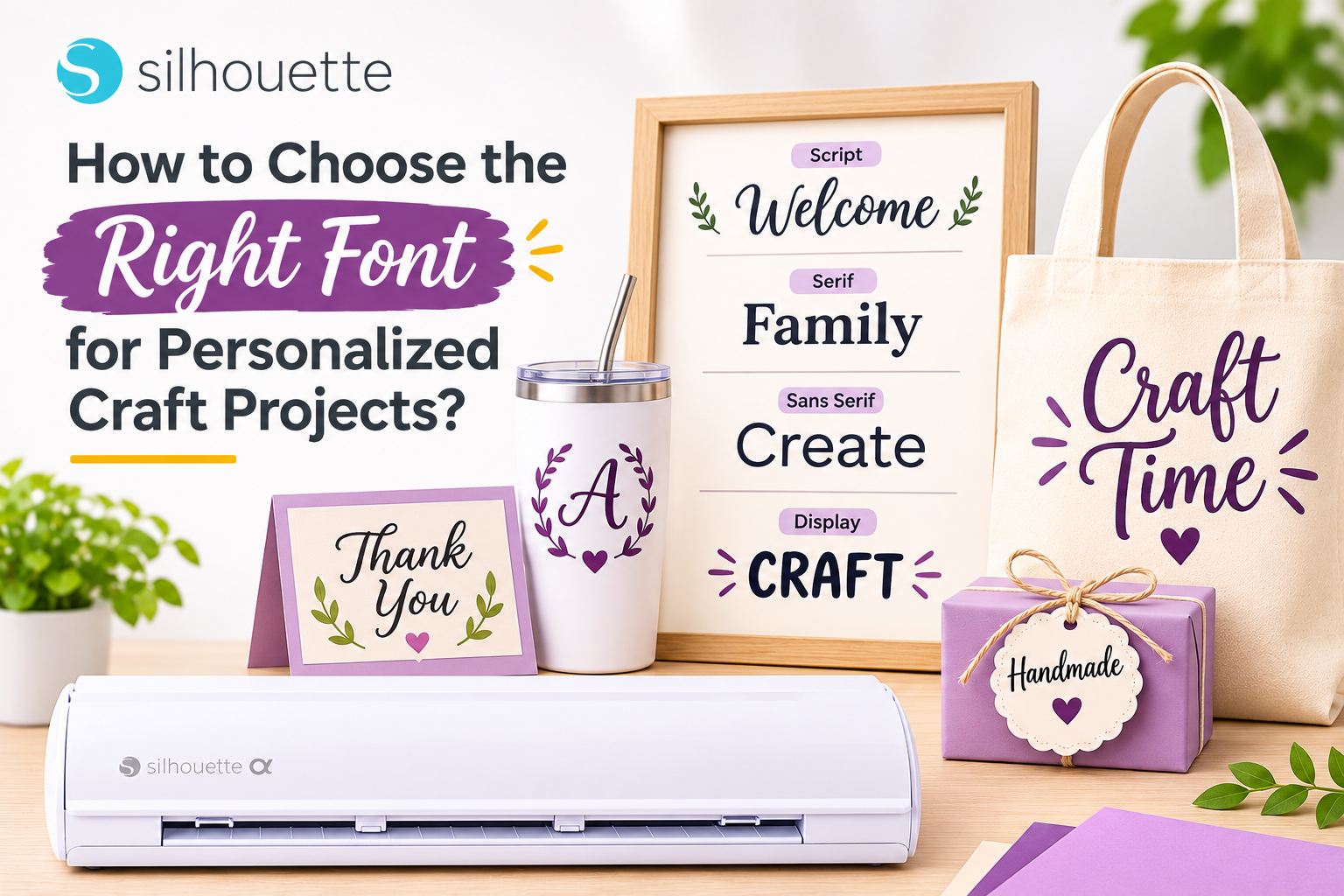
A font can completely change the look and feel of a personalized craft project. The same name can look elegant, playful, modern, rustic, or festive simply by changing the typeface.
Whether you’re creating a personalized T-shirt, wedding sign, gift tag, sticker, ornament, or home décor, choosing the right font is an important part of the design process.
With Silhouette Studio® and fonts available through the Silhouette Design Store, crafters have plenty of options to experiment with. But more choices can also make the decision harder.
Here’s how to choose a font that looks great and works well for your project.
Start With the Purpose of Your Project
Before choosing a font, think about what you’re making.
Different projects call for different typography styles.
Personalized Gifts
Handwritten or script fonts can create a warm, personal feeling.
Wedding Décor
Elegant serif or flowing script fonts can work well for invitations, signs, and place cards.
Children’s Projects
Rounded, playful fonts are often a good fit for kids’ shirts, labels, and party decorations.
Business Products
Clean, professional fonts can make packaging, labels, and branded products look more polished.
The best font isn’t necessarily the most decorative one. It’s the one that matches the purpose of the product.
Think About Readability
A beautiful font isn’t useful if nobody can read it.
This becomes especially important when working with:
- Small gift tags
- Stickers
- Product labels
- Place cards
- Tiny names
- Detailed vinyl decals
Before cutting, zoom out and look at the design at its actual size.
If the letters blend together or the details become difficult to distinguish, try a simpler font.
For small projects, clean and readable typography usually produces better results than highly intricate lettering.
Choose Fonts That Cut Well
Designing for a cutting machine is different from designing for a screen.
Very thin strokes, tiny details, and complicated connections can make a font more difficult to cut and weed.
Before committing to a large batch, check:
- Stroke thickness
- Letter spacing
- Small interior shapes
- Connections between script letters
- Overall design complexity
A font that looks beautiful digitally may require extra care when converted into a physical cut.
When you’re new to cutting machines, start with moderately detailed fonts and experiment with more intricate styles as your skills improve.
Script Fonts Are Great for Personalization
Script fonts are popular for personalized crafting because they can make names and short phrases feel handwritten.
They’re particularly useful for:
- Family names
- Wedding décor
- Personalized ornaments
- Gift tags
- T-shirts
- Mugs
- Home décor
However, some script fonts contain very thin strokes or tightly connected letters.
Make sure the finished word remains readable at the size you intend to cut.
Serif vs. Sans Serif Fonts
Understanding basic font categories can make choosing easier.
Serif fonts have small decorative strokes at the ends of letters. They often create a traditional, elegant appearance.
Sans serif fonts have cleaner letterforms without those strokes. They tend to feel modern, simple, and easy to read.
Try combining the two.
For example, use a serif font for a family name and a simple sans serif font for a smaller date underneath.
Consider the Material
Your font choice should also match the material.
A delicate script might look beautiful in large cardstock lettering but become difficult to weed when cut from small adhesive vinyl.
Similarly, a bold font that works well on a T-shirt may feel too heavy on a small gift tag.
Think about:
- Vinyl
- Heat transfer vinyl
- Cardstock
- Sticker material
- Printable media
Choose a font style that suits both the design and the physical material.
Use Silhouette Studio® to Refine Your Typography
Once you’ve chosen a font, Silhouette Studio® gives you tools to fine-tune the design.
You can adjust:
- Font size
- Spacing
- Alignment
- Position
- Letter arrangement
- Layers
- Offsets
An offset can also create a border around lettering, which is useful for stickers, decals, signs, and layered projects.
Small adjustments can make a surprisingly large difference to the finished product.
Explore Fonts in the Silhouette Design Store
If you need inspiration, explore the Silhouette Design Store.
You can find fonts and digital designs in styles ranging from:
- Elegant
- Handwritten
- Modern
- Playful
- Decorative
- Seasonal
- Rustic
Instead of choosing a font simply because it looks attractive, think about how it will work with your intended project.
Try creating a few quick mockups with different fonts before making your final choice.
Try Font Pairing
Using two complementary fonts can make a personalized project look more professional.
For example:
Elegant script + simple sans serif
works well for wedding décor.
Bold display font + playful handwritten font
can work for children’s products.
Serif font + clean sans serif
can create a modern look for home décor.
Avoid using too many fonts in one project. Two complementary styles are often enough.
Create a Font Library for Your Craft Business
If you regularly make personalized products, keep a small collection of fonts that you know work well.
Organize them by style:
- Wedding
- Children’s
- Modern
- Holiday
- Rustic
- Business
- Monogram
This can speed up future projects and help your product collections maintain a consistent visual style.
If you use fonts commercially, always review their licensing terms to make sure your intended use is permitted.
Final Thoughts
Choosing the right font is about more than finding a style you like.
You need to consider the project, audience, material, size, readability, and cutting complexity.
With Silhouette Studio®, you can experiment with typography, adjust spacing, create offsets, and prepare lettering for different materials. The Silhouette Design Store provides a wide selection of fonts and digital designs to help you find the right starting point.
Whether you’re creating a personalized Christmas ornament, wedding sign, T-shirt, sticker, or handmade gift, the right font can turn a simple design into something memorable.
Choose a font that looks good on screen – but works even better in your finished craft.