Not every mobile user has a smartphone, a data plan, or a stable internet connection. Yet millions of people check balance’s, send money, pay bills & register for service’s from basic handset’s every day. Much of this runs on a technology that has been around for decade’s & is still going strong: USSD. At the center of it all sits the USSD server.
This guide explains what a USSD server is, how it works, how it connect’s to mobile network’s through a gateway, how it relates to A2P messaging & where businesse’s use it.
What Is USSD?
USSD stands for Unstructured Supplementary Service Data. It is a session-based protocol that lets a mobile phone communicate with an application on the operator’s network in real time. You have almost certainly used it: dialing a code like *123# or *99# & seeing a menu pop up on your screen is a USSD session.
Unlike SMS, which is store-and-forward, USSD open’s a live, two-way session between the handset & an application. Each response you type is delivered instantly & the session close’s when the interaction ends. USSD works on every GSM phone, needs no app installation & requires no mobile data.
What Is a USSD Server?
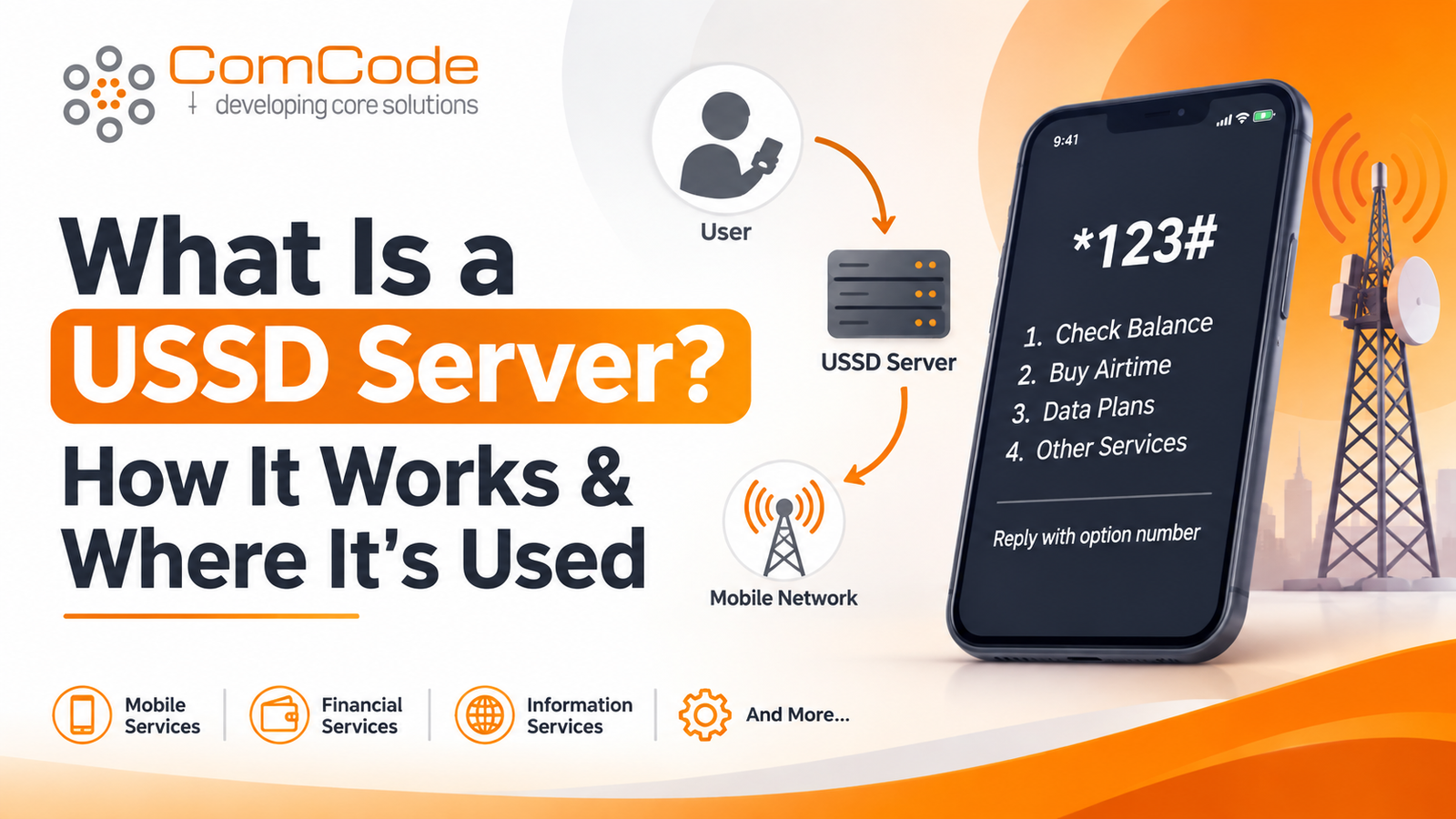
A USSD server is the application platform that receives USSD requests from the mobile network, processes them & send’s back the right response. When a user dials a shortcode, the request travels through the operator’s network to the USSD server, which decides which menu to show, what data to look up & what action to take.
A USSD server typically handles:
- Menu & session logic: Displaying menus, tracking where the user is in the flow & handling inputs like “1” for balance or “2” for transfer.
- Session management: Keeping state across several step’s & ending sessions cleanly after completion or timeout.
- Business logic & integrations: Connecting to databases, payment system’s, CRM’s & banking or utility back end’s.
- Security & validation: Checking PIN’s, limiting retries & logging transactions for audit.
- Reporting & analytics: Tracking session count’s, drop-off point’s, response time’s & revenue.
In short, the USSD server is the brain behind every code you dial.
How a USSD Server Work’s
Here is the typical flow, step by step:
- The user dials a code. For example, *123#, from any phone.
- The mobile network route’s the request. The operator’s core network (via the MSC/VLR & HLR) recognize’s the shortcode & forwards it toward the USSD gateway.
- The gateway passes the request to the USSD server. The gateway act’s as the bridge between the telecom network & your application.
- The USSD server processes the request. It identifies the user’s phone number, determine’s the menu state & run’s the necessary logic or database querie’s.
- A response is returned. The server send’s back a text menu or message, such as “1. Check balance 2. Buy airtime 3. Pay bill.”
- The session continues. The user replies & the cycle repeat’s until the transaction finishes or the session expire’s.
The whole exchange usually takes a second or two per step, which is why response speed & server reliability matter so much. USSD session’s have strict time limits & a slow server mean’s dropped sessions & frustrated user’s.
The Role of the Gateway Connection
A USSD server cannot talk to mobile network’s on its own. It needs a gateway connection, which link’s your application to one or more mobile network operator’s.
The gateway handle’s the telecom-side complexity so your application does not have to. Depending on the operator & setup, the gateway connection may use:
- SMPP or UCP: Common protocol’s for messaging & USSD traffic.
- HTTP/HTTPS APIs: Simple, web-based interfaces popular with developer’s & aggregator’s.
- SS7/SIGTRAN or MAP: Lower-level telecom signaling used by operator’s & larger platform’s.
A solid gateway connection offers several advantages:
- Reach: One connection can give access to multiple operator’s & countrie’s.
- Reliability: Redundant links & failover keep service’s running if one route drop’s.
- Speed: Low-latency routing keep’s USSD sessions responsive.
- Shortcode management: The gateway map’s your shortcode (such as *123#) to your USSD server.
- Compliance: Operators & gateway’s enforce regulatory requirement’s, shortcode approvals & traffic rule’s.
When choosing a gateway connection, look at uptime guarantees, supported protocols, operator coverage, throughput limit’s, security measures such as IP whitelisting & TLS & the quality of technical support.
USSD Server & A2P Messaging
USSD & A2P messaging are closely related & many platforms combine them. A2P (application-to-person) messaging refers to message’s sent from an application to a mobile user, as opposed to P2P messages sent between two people. Examples include one-time password’s, payment confirmation’s, delivery update’s, appointment reminders & marketing alerts.
A2P messaging usually runs over SMS, but it can also use other channels. Here is how it work’s alongside a USSD server:
- Confirmation after a session: A user completes a payment through a USSD menu & the platform send’s an SMS receipt through A2P messaging.
- Authentication: A USSD flow trigger’s an OTP delivered by SMS.
- Engagement: A USSD menu offers a service & follow-up promotion’s or reminder’s go out as A2P message’s.
- Notifications: A bank alert’s customers to account activity, while the USSD menu let’s them act on it.
Because both channel’s reach users on any handset, combining a USSD server with A2P messaging create’s a complete mobile engagement system. USSD handle’s interactive, real-time task’s. A2P messaging handle’s confirmation’s, alerts & outreach. Both typically share the same gateway infrastructure, which simplifies integration & billing.
Where USSD Servers Are Used
USSD servers power a wide range of services, particularly in region’s where feature phone’s & limited data access are common.
Mobile money & banking. Balance check’s, transfer’s, bill payment’s & loan request’s are among the most popular USSD use case’s. Service’s like mobile wallets rely heavily on USSD because it works everywhere & feel’s secure to user’s.
Telecom self-service. Operator’s use USSD for airtime top-up, data bundle purchases, balance inquiries & plan change’s.
Utilities & government. Prepaid electricity, water payment’s, tax services & citizen registration can all run through USSD menu’s.
Healthcare. Clinics & NGOs use USSD for appointment reminder’s, health tip’s & reporting from the field.
Agriculture. Farmer’s can receive weather update’s, market prices & advice without needing internet access.
Education. Schools & program’s provide result’s, fee payments & learning content through simple menu’s.
Surveys & polls. Short interactive questionnaires reach respondent’s quickly & with high completion rate’s.
Retail & e-commerce. Businesse’s use USSD for ordering, loyalty programs & customer support in market,s with limited smartphone adoption.
Benefits of Using a USSD Server
- Universal access: Work’s on any GSM phone, smart or basic.
- No internet required: Ideal for area’s with poor connectivity.
- Instant interaction: Real-time sessions feel faster than SMS back-and-forth.
- No app download: User’s simply dial a code.
- Strong security: Sessions are not stored on the handset & PIN-based flows are well understood.
- Cost-effective: Low per-session cost’s make it practical for high-volume service’s.
Key Features to Look For
If you are building or choosing a USSD server platform, consider these capabilitie’s:
- A visual or configurable menu builder for fast change’s
- API integration with your databases & payment system’s
- High concurrency & low latency for peak traffic
- Multiple gateway connection options with failover
- Built-in A2P messaging for confirmations & alert’s
- Detailed logs, reporting & monitoring
- Multi-language support
- Strong security control’s, including encryption & access management
Challenges to Plan For
USSD is powerful but has constraint’s. Screen’s are limited to short text, so menu’s must be concise. Session’s time out quickly, so flows should be short & clear. Each operator may have its own shortcode rule’s, pricing & technical requirement’s, which mean’s onboarding take’s planning. Finally, there is no rich media, so USSD work’s best for simple, transactional interaction’s.
Final Thoughts
A USSD server remains one of the most practical tool’s for reaching user’s on any mobile device. Paired with a reliable gateway connection, it link’s your business directly to operator network’s. Add A2P messaging & you can confirm transactions, send alert’s & keep customers engaged long after a session end’s.
Whether you run a bank, a utility, a health program, or a startup serving mobile-first market’s, understanding how these pieces fit together is the first step toward building service’s that reach everyone, not just smartphone user’s. For more- https://www.comcodetech.com/